
Bringup - Nav2 Webots Simulation
Support for simulation is dropped in Lyrical.
The webots_nav launch file is used to start the Nav2 stack by initialising the Webots simulation and displaying it in RViz2.
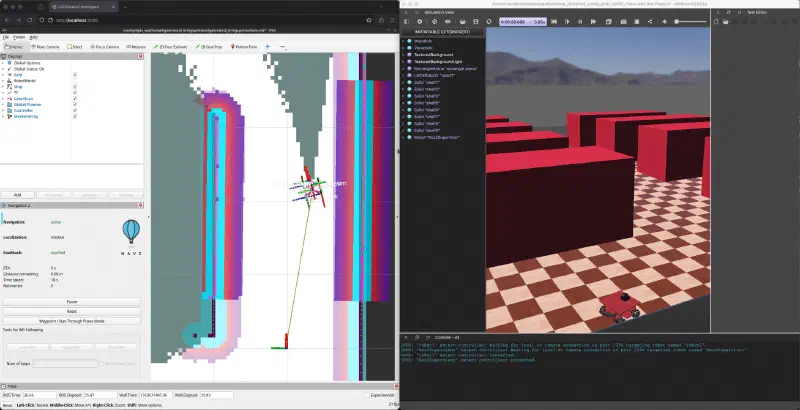
Examples
SLAM on Nav2
ros2 launch lgdxrobot2_bringup webots_nav_launch.py \
  slam:=True \
  profile:='slam-wb' \
  use_rviz:=True
Localisation on Nav2
ros2 launch lgdxrobot2_bringup webots_nav_launch.py \
  profile:='loc-wb' \
  use_rviz:=True
SLAM on other Webots map
List of available maps can be found here.
ros2 launch lgdxrobot2_bringup webots_nav_launch.py \
  slam:=True \
  profile:='slam-wb' \
  world:='xglgdx.wbt' \
  use_rviz:=True
Localisation on other Webots map
ros2 launch lgdxrobot2_bringup webots_nav_launch.py \
  profile:='loc-wb' \
  world:='xglgdx.wbt' \
  map:='xglgdx.yaml' \
  use_rviz:=True
Parameters
| Parameter | Type | Description |
|---|---|---|
| profiles_path | string | bsolute path to the profiles directory, or leave empty to use the default. |
| profile | string | Parameters profile. |
| namespace | string | Namespace for the robot. |
| world | string | World file in lgdxrobot2sim_webots package. |
| slam | bool | Whether to run a SLAM. |
| use_localization | bool | Whether to enable localization or not. |
| map | string | Map yaml file in lgdxrobot2sim_webots package. |
| autostart | bool | Automatically start up the Nav2 stack. |
| use_composition | bool | Whether to use composed bringup. |
| use_respawn | bool | Whether to respawn if a node crashes. |
| use_rviz | bool | Launch RViz2. |
| rviz_config | string | Absolute path for the RViz config file. |