
Bringup - Bringup
The bringup launch file is used to start the robot with all required hardware and display it in the RViz2.
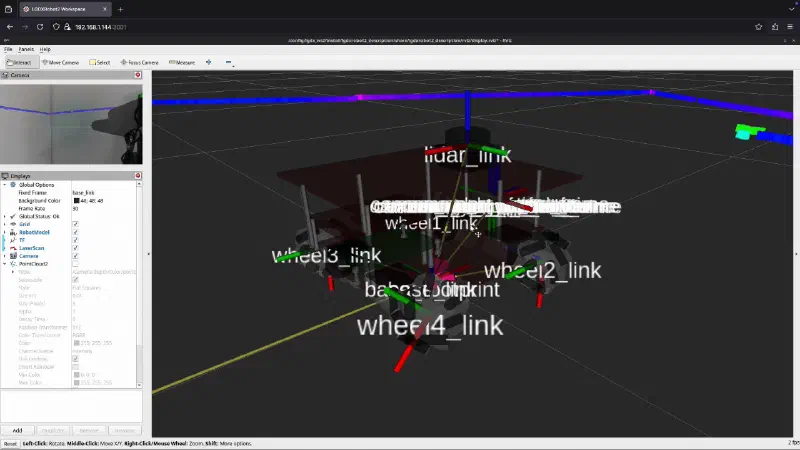
Examples
Visualisation in RViz2
To control the robot using the joystick, ensure that the joystick is connected to the robot.
ros2 launch lgdxrobot2_bringup bringup_launch.py \
  use_rviz:=True
Using teleop_twist_keyboard Node
Terminal 1:
ros2 launch lgdxrobot2_bringup bringup_launch.py \
  use_rviz:=True
Terminal 2:
ros2 run teleop_twist_keyboard teleop_twist_keyboard \
  --ros-args --remap /cmd_vel:=/keyboard
Parameters
| Parameter | Type | Description |
|---|---|---|
| serial_port_name | string | Absolute path to the serial port device. |
| use_joy | bool | Whether to enable the joy. |
| use_keyboard | bool | Control the robot using teleop_twist_keyboard. Start the node in another terminal to control the robot. |
| use_rviz | bool | Visualize in RViz. |
Mapping For Xbox Controller
| Button | Function |
|---|---|
| A | Disable software emergency stop |
| B | Enable software emergency stop |
| D-pad | Move the robot |
| LSB | Move the robot |
| LB | Reduce robot speed |
| RB | Increase robot speed |
| LT | Rotate the robot counter-clockwise |
| RT | Rotate the robot clockwise |